
Android Installation and APK Setup
We offer koi slot as an Android APK download, giving you direct access without relying on app stores. To install, visit our download page, tap the APK link, and follow your phone's installation prompts. Android will ask for permissions—camera, storage, and network access—which we use to stream live games, store your login session, and send push notifications.
Once installed, open koi slot and log in with your account credentials. We verify your identity through a one-time code sent to your registered email or phone number. This verification step protects your account from unauthorised access, especially important when logging in from a new device.

iOS Browser Access and Add-to-Home-Screen
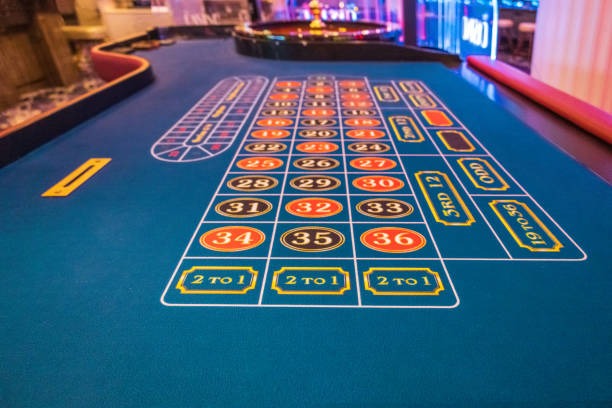
iOS users access koi slot through Safari or another mobile browser. We've optimised our web interface for iPhone and iPad, so the experience feels native even without a dedicated app. Simply visit our domain, log in, and you're ready to browse Liga 1 fixtures, place bets, or join a live blackjack table.
For faster access, we recommend adding koi slot to your home screen. In Safari, tap the Share button, select "Add to Home Screen," and confirm. This creates a shortcut that launches koi slot in full-screen mode, mimicking an app without requiring installation. Your login session persists, so you stay logged in across visits.
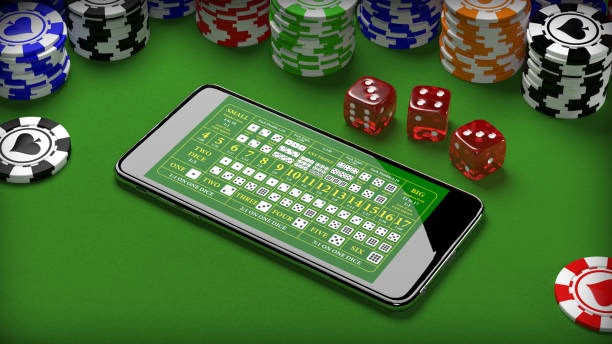
We ensure iOS users enjoy the same live-dealer streams, payment options, and account security as Android players—no compromise on experience.
Account Login and Security on Mobile
Logging into koi slot on your phone follows the same secure path as desktop. Enter your username and password, then confirm a one-time code we send via email or SMS. We do this to prevent unauthorised access, especially if your phone is shared or used on public Wi-Fi.
After verification, you can enable biometric login—fingerprint or face recognition—so future sessions open instantly. We store this biometric data locally on your device; we never see it. If you lose your phone, your account remains protected because we require email or SMS confirmation for any new device login.
Security Strengths
- One-time code verification on new device
- Biometric login for returning sessions
- Encrypted connection for all transactions
Common Risks
- Sharing your password with others
- Using public Wi-Fi without a VPN
Push Notifications and Alert Settings
We send push notifications to keep you informed about live games, settlement results, and account activity. When you first open koi slot on Android or iOS, we ask permission to send these alerts. You can customise which notifications you receive: live-game reminders, payment confirmations, or promotional updates.
To adjust notification settings, open koi slot, go to your account menu, and select Notifications. We let you toggle each category on or off, and set quiet hours so alerts don't disturb you during sleep. If you're in Jakarta, Surabaya, or Bandung, you might prefer alerts timed to local Liga 1 kickoffs or Piala AFF matches.
Data Usage and Mobile Optimisation
We design koi slot to run smoothly on limited mobile data. Our app compresses images and video streams, so watching a live blackjack table or Liga 1 match uses less bandwidth than you'd expect. We also lazy-load images—they download only when you scroll to them—and cache frequently used pages so repeat visits are faster.
If you're on a tight data plan, we offer a low-data mode in settings. This reduces video quality for live streams and disables auto-play for promotional content. You still access all games and payment options; we simply prioritise speed over visual polish. For users in areas with slower connections, this mode makes a real difference.
Deposits and Withdrawals on Mobile
We support all major Indonesian payment methods on mobile: DANA, e-wallet, mobile banking, local payment, online payment, e-wallet, and bank transfers via mobile banking, local payment, online payment, and e-wallet. To deposit, open koi slot, tap Wallet, and select your preferred method. We guide you through each step—no hidden fees, no surprise delays.
Withdrawals follow the same path. Request a payout, confirm your destination account, and we process it within our standard review window. We verify your identity and account details to prevent fraud, which means your first withdrawal may take slightly longer. After that, subsequent payouts move faster because we've already confirmed your information.
Desktop Play and Cross-Device Sessions
While mobile is our focus, we recognise you may switch between phone and computer. Your koi slot account syncs across devices: a bet placed on mobile appears in your desktop history, and vice versa. Your balance updates instantly, so you never see conflicting numbers.
Desktop offers a larger screen for detailed match analysis or multi-table live casino play. Mobile excels for quick bets during commutes or watching Liga 1 on the go. We've optimised both, so your choice depends on convenience rather than capability.